

Subscribe to Updates

    Get the latest creative news from FooBar about art, design and business.

    What's Hot

    Snapdragon 8 Elite Gen 6: how the 2 nm architecture helps it beat the 8 Elite Gen 5

    Oppo is about to make the first "non-folding foldable" and it'll be super exotic

    Garmin Forerunner 55 plunges to its lowest price in a while

    Facebook Twitter Instagram
    • Tech
    • Gadgets
    • Spotlight
    • Gaming
    Facebook Twitter Instagram
    circuitthoughtscircuitthoughts
    Subscribe
    • Home
    • Gadgets
    • Insights
    • Apps

      Google Uses AI Searches To Detect If Someone Is In Crisis

      Gboard Magic Wand Button Will Covert Your Text To Emojis

      Android 10 & Older Devices Now Getting Automatic App Permissions Reset

      Spotify Blend Update Increases Group Sizes, Adds Celebrity Blends

      Samsung May Improve Battery Significantly With Galaxy Watch 5

    • Gear
    • Mobiles
      1. Tech
      2. Gadgets
      3. Insights
      4. View All

      Snapdragon 8 Elite Gen 6: how the 2 nm architecture helps it beat the 8 Elite Gen 5

      Oppo is about to make the first "non-folding foldable" and it'll be super exotic

      Garmin Forerunner 55 plunges to its lowest price in a while

      Galaxy Z Fold 8 is official: Samsung re-thinks the foldable

      March Update May Have Weakened The Haptics For Pixel 6 Users

      Project 'Diamond' Is The Galaxy S23, Not A Rollable Smartphone

      The At A Glance Widget Is More Useful After March Update

      Pre-Order The OnePlus 10 Pro For Just $1 In The US

      Motorola Edge+ Review: It Checks A Lot Of Boxes

      This Smartphone Concept Design Is Different… In A Good Way

      Twitter Just Made Searching Your Direct Messages Better

      That Netflix Price Hike Is Starting To Take Place

      Latest Huawei Mobiles P50 and P50 Pro Feature Kirin Chips

      Samsung Galaxy M62 Benchmarked with Galaxy Note10’s Chipset

      9.1

      Review: T-Mobile Winning 5G Race Around the World

      8.9

      Samsung Galaxy S21 Ultra Review: the New King of Android Phones

    • Computing
    circuitthoughtscircuitthoughts
    Home»Tech»Computing»Google just unleashed a Workspace makeover that touches every app you use
    Computing

    Google just unleashed a Workspace makeover that touches every app you use

    adminBy No Comments4 Mins Read
    Facebook Twitter Pinterest LinkedIn Tumblr Email
    Share
    Facebook Twitter LinkedIn Pinterest Email

    Google just dropped a massive Workspace overhaul at I/O 2026, and if you live inside Gmail, Docs, and Drive, your daily workflow is about to look very different. Voice is the headline, but the changes run much deeper than that.

    Workspace is going full Gemini, and over 4 billion people are along for the ride

    Google announced a wave of new AI features for Workspace in a blog post, spanning Gmail, Docs, Keep, and a brand-new image creation app. The pitch is that Workspace stops being a place where you do the work and starts being a place where AI does it with you.We have already seen Google leaning hard into Gemini personalization across its ecosystem this year, and this announcement pushes that strategy directly into your inbox and documents.

    Gmail Live, Docs Live, and Keep get conversational

    The biggest shift is voice. Three core Workspace apps are now learning to listen and respond like a coworker.

    Gmail Live is a voice-activated inbox search. Ask “what is my flight’s gate number” or “what’s happening at my kid’s school this week,” and it pulls the answer from your inbox without you ever opening it.

    Gmail Live. | Video by Google

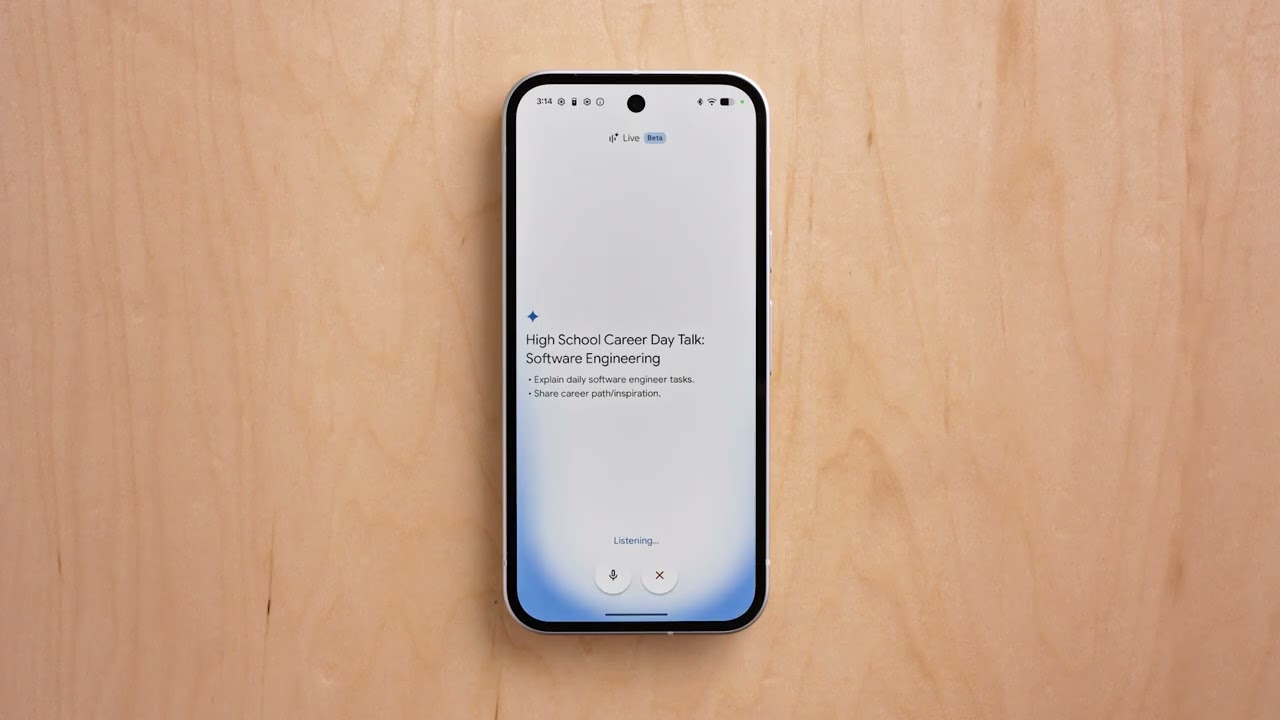
    Docs Live is the writing counterpart. You verbally brain dump whatever is on your mind, and the model organizes your thoughts, structures the document, and (with your permission) pulls relevant context from Gmail, Drive, Chat, and the web.
    Video Thumbnail

    Docs Live. | Video by Google

    Keep gets its own voice treatment too. Ramble whatever crossed your mind, and Keep silently turns it into organized notes and lists in the background. All three roll out to Google AI Pro and Ultra subscribers this summer.

    You can now use Gemini to talk to Keep, Rambler style. | Video by Google

    Google Pics is the surprise standout

    Google Pics is a brand new image creation and editing app built on Nano Banana, and the feature list is genuinely strong. Object segmentation lets you grab any single element of an image and resize, move, or transform it (the example Google gives is turning a dog into a cat) without disturbing the rest of the scene.

    Google Pics. | Video by Google

    You can also edit text directly inside an image and translate it into other languages while keeping the original font and design. Pics integrates with Slides and Drive at launch, and shareable canvases let multiple people edit the same image simultaneously. Trusted testers get access today, with a wider rollout to AI Pro and Ultra subscribers this summer.

    AI Inbox finally opens up beyond Ultra

    AI Inbox, the Gemini-powered inbox prioritization feature, has been an Ultra-only perk. That changes today, with Google rolling it out to AI Plus and Pro subscribers in the US.

    AI Inbox. | Video by Google

    New features arrive alongside the expansion. AI Inbox now generates personalized draft replies, surfaces relevant Docs, Sheets, and Slides next to your to-do list, and lets you mark tasks done or dismiss suggestions with a single click.

    Gemini Spark lands in Workspace

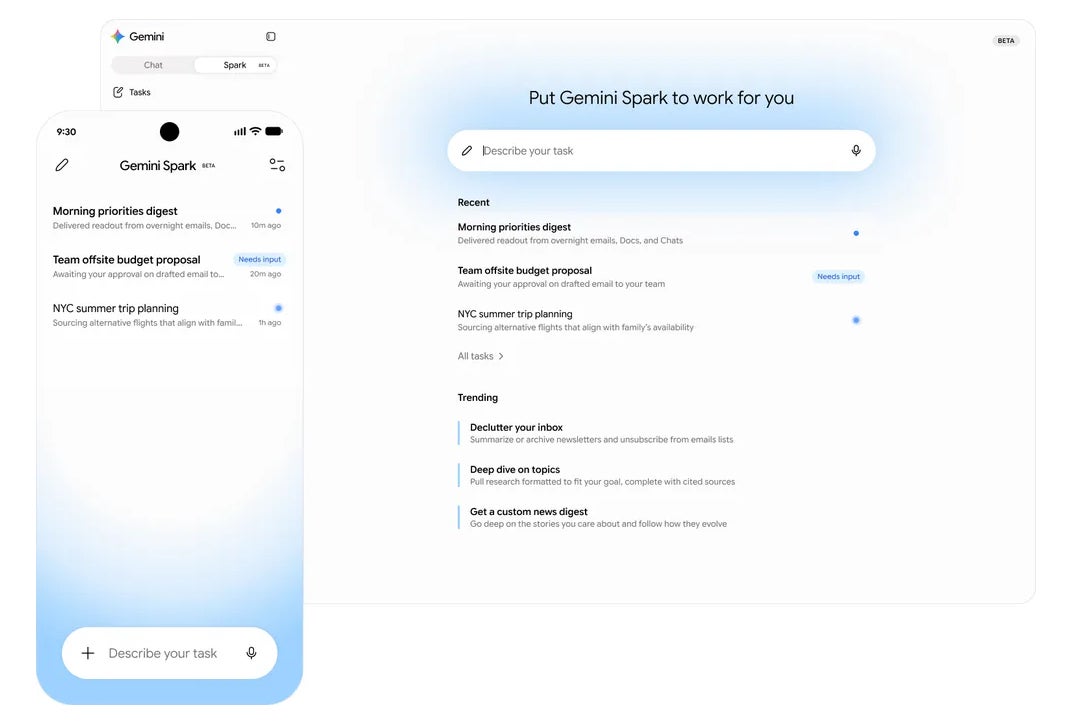
    Gemini Spark, the new 24/7 personal AI agent we covered from the I/O keynote, is also coming to Workspace. It takes action on your behalf, integrates with your Workspace apps, and asks before doing anything high-stakes like sending an email or creating a calendar event. Workspace business customers get it in preview soon.
    Gemini SparkGemini Spark

    Gemini Spark in Workspace. | Image by Google

    My honest take

    This is the kind of update that quietly changes how a lot of people work. Voice in Gmail and Docs alone could shave real time off the workday for anyone deep in the Google ecosystem.

     Pics finally fixes the “almost what I wanted” frustration of AI image generation, which is the single biggest reason most people stop using these tools after the novelty wears off. The real question is execution and whether the rollout to non-Ultra subscribers stays smooth.

    If you want more hot takes, opinion pieces, and behind-the-scenes coverage, follow me on X and Threads.

    Get Visible as low as $20/mo for 1 year. Limited time offer with code: FRESHSTART

    Get Visible as low as $20/mo for 1 year. Limited time offer with code: FRESHSTART

    Offer Ends 6.1.2026 at 11.59pm ET. New members get $5/mo off the $25/mg Visible plan, $35/mo Visible+ plan, or $45/mo Visible+ Pro plan for the first 12 months. Promo code FRESHSTART required at checkout.


    Buy at Visible

    Read the latest from Johanna Romero

    #Google #unleashed #Workspace #makeover #touches #app

    App Google makeover touches unleashed Workspace
    Share. Facebook Twitter Pinterest LinkedIn Tumblr Email

    Related Posts

    Snapdragon 8 Elite Gen 6: how the 2 nm architecture helps it beat the 8 Elite Gen 5

    Oppo is about to make the first "non-folding foldable" and it'll be super exotic

    Garmin Forerunner 55 plunges to its lowest price in a while

    Add A Comment

    Leave A Reply Cancel Reply

    Editors Picks
    8.5

    Apple Planning Big Mac Redesign and Half-Sized Old Mac

    Autonomous Driving Startup Attracts Chinese Investor

    Onboard Cameras Allow Disabled Quadcopters to Fly

    Top Reviews
    9.1

    Review: T-Mobile Winning 5G Race Around the World

    By
    8.9

    Samsung Galaxy S21 Ultra Review: the New King of Android Phones

    By
    8.9

    Xiaomi Mi 10: New Variant with Snapdragon 870 Review

    By
    circuitthoughts
    Facebook Twitter Instagram Pinterest Vimeo YouTube
    • Home
    • Tech
    • Gadgets
    • Mobiles
    • Our Authors
    © 2026 ThemeSphere. Designed by WPfastworld.

    Type above and press Enter to search. Press Esc to cancel.